ZATCA e-invoicing compliance hub
Phase 1, Phase 2 and the Phase 2 waves, explained in plain language, with the guides, glossary terms and free tools that go with them.
Start here
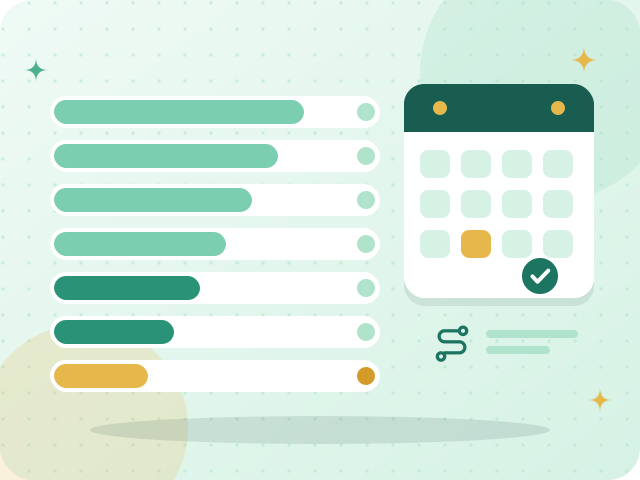
Phase 2 wave tracker
See every wave, its revenue criterion and its integration date, with a countdown to the next one.
Learn more
ZATCA e-invoicing Phase 2: a practical checklist for small businesses
A step-by-step list for getting a small business ready for the connection with ZATCA.
Read the guide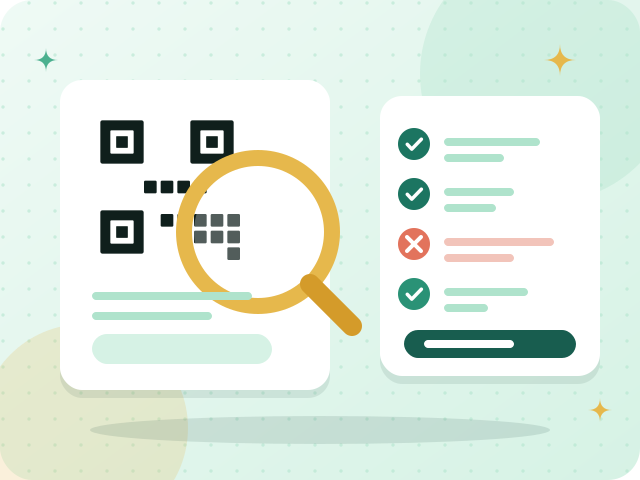
ZATCA QR code validator
Upload a picture of an invoice QR code and check its five Phase 1 fields.
Open the toolPhase 1: the generation phase
Phase 1 has applied since 4 December 2021. It is about how an invoice is created and kept: electronically, in a structured form, in Arabic, never by hand, with a QR code on simplified tax invoices. Nothing has to be connected to ZATCA to meet it.
For a business owner this means your invoicing system must issue proper tax invoices with sequential numbers, the VAT lines and the QR code, and store them. A cafe prints a simplified invoice with a QR code at every sale, and a wholesaler sends standard tax invoices to its customers.
Phase 2: the integration phase
Phase 2 started on 1 January 2023 and reaches taxpayers in numbered waves. In it, your invoicing system connects to ZATCA’s Fatoora platform. A standard tax invoice is cleared before it reaches the buyer, and a simplified tax invoice is issued at once and reported within 24 hours.
Every invoice also carries technical elements: XML in the UBL 2.1 format, a UUID, a counter value, the hash of the previous invoice and a cryptographic stamp. Your software produces them. Your part is to onboard the system with ZATCA and to choose software that supports Phase 2.
How the waves work
ZATCA picks the businesses in each wave by their revenue subject to VAT in stated years, and informs them directly at least six months before the integration date. The latest wave announced is Wave 25, for taxpayers whose revenues subject to VAT exceeded SAR 187,500, with an integration date of 1 February 2027.
The wave tracker lists every wave. It explains the rules, but only ZATCA can tell you which wave your business is in.
How Fatooraz supports each phase
Fatooraz supports ZATCA e-invoicing requirements for Phase 1 and Phase 2: tax invoices, simplified invoices and credit notes with a QR code and sequential numbering, in Arabic and English.
You complete onboarding with ZATCA as the taxpayer, and Fatooraz guides you through it. The free trial runs in ZATCA’s simulation environment, so you can practise issuing and reporting invoices without creating real tax documents.
The technical terms, in plain words
ZATCA’s rules use a handful of technical words. Each one has a short, plain explanation.
UBL XML
UBL XML is the structured data file, written in the UBL 2.1 format, that every Phase 2 e-invoice carries alongside its QR code…
CSID
A CSID is a digital certificate that your invoicing system receives during Phase 2 onboarding. You first receive a compliance…
Invoice UUID
An invoice UUID is the unique identifier of one e-invoice: a code that belongs to that invoice alone. It is one of the technical…
Invoice counter value (ICV)
The invoice counter value (ICV) is a running number that each Phase 2 e-invoice carries to show its place in the sequence of…
Previous invoice hash (PIH)
The previous invoice hash (PIH) is the digital fingerprint of the invoice issued just before the current one. Each Phase 2…
Invoice QR code
An invoice QR code is a square barcode shown on an e-invoice that holds its key data. In Phase 1 it contains the seller's name…
Guides
- ZATCA e-invoicing Phase 2: a practical checklist for small businesses
- Saudi VAT invoices: what tax and simplified invoices must contain
- How to choose a POS for a Saudi shop or restaurant
- Your 90-day free trial: what to do in the first weeks
- How to issue a ZATCA-compliant tax invoice, step by step
- Credit and debit notes in Saudi Arabia: correcting an invoice
- VAT registration in Saudi Arabia: who must register, and how
- VAT return checklist for Saudi businesses
- Choosing accounting software in Saudi Arabia: a buyer's checklist
- Invoice numbering and archiving in Saudi Arabia
- ZATCA approval of invoicing software: what it means and what to check
- ZATCA e-invoicing API integration: how Phase 2 works, step by step
- Invoicing software for a small Saudi business: what you need and what to skip
Free tools
VAT calculator
Add 15% VAT to a price, or find the VAT inside a total that already includes it.
Open the tool
ZATCA QR code generator
Create the Phase 1 QR code for a simplified tax invoice, or paste a code to see what it contains.
Open the toolZATCA QR code validator
Check an invoice QR code: upload a picture or paste its text and see which of the five Phase 1 fields are right.
Open the toolZATCA wave checker
Enter your revenue for each year and see which Phase 2 wave your figures match and when ZATCA expects integration.
Open the tool
VAT registration checker
Enter your taxable sales and see whether VAT registration in Saudi Arabia is mandatory, voluntary or not yet needed, with the next steps.
Open the tool
Free invoice generator in Arabic and English
Fill in a form and get an invoice with every heading in Arabic and English and a QR code, ready to save as a PDF from your browser.
Open the toolZATCA invoice XML checker
Paste an invoice in UBL XML and see which fields are missing, malformed or do not add up. A structure check, not ZATCA validation.
Open the tool
Credit note and partial return calculator
Work out the amounts of a credit note for goods returned or a price reduction, with VAT, and see what is left of the invoice.
Open the toolVAT return helper
Paste your sales and purchases as CSV and get the VAT totals by category and month, in your browser. A worksheet, not your VAT return.
Open the tool
Hijri–Gregorian date converter
Convert a date between the Hijri (Umm al-Qura) and Gregorian calendars, in both directions, with the month name and the day of the week.
Open the tool
E-invoicing readiness quiz
Ten yes-or-no questions give you a readiness score for ZATCA e-invoicing and a checklist of next steps. Free, in your browser.
Open the toolCompliance questions
What is the difference between Phase 1 and Phase 2?
Phase 1, the generation phase, is about creating and storing invoices electronically, with a QR code on simplified tax invoices, and needs no connection to ZATCA. Phase 2, the integration phase, connects your invoicing system to ZATCA’s Fatoora platform and adds technical elements such as a cryptographic stamp.
How do I know which Phase 2 wave my business is in?
ZATCA publishes the criterion for each wave and informs targeted taxpayers directly at least six months before their integration date. The wave tracker lists every wave, but only ZATCA can confirm your wave, so follow its notifications and announcements.
Do I need a connection to ZATCA for Phase 1?
No. Phase 1 requires invoices to be issued and stored electronically in a structured form, with a QR code on simplified tax invoices. The connection to ZATCA’s systems belongs to Phase 2.
Does Fatooraz have ZATCA approval?
ZATCA publishes an indicative Solution Providers Directory and says that listing is not an approval of a provider’s solution. Fatooraz makes no claim of ZATCA approval or certification. It supports ZATCA’s e-invoicing requirements for Phase 1 and Phase 2, and you complete onboarding with ZATCA as the taxpayer, with Fatooraz guiding you.
Can I try the process before it counts?
Yes. ZATCA provides a simulation environment, and the Fatooraz free trial runs in it, so you can practise issuing invoices and reporting them without creating real tax documents.
Issue correct invoices without the guesswork
Try Fatooraz free for 90 days in ZATCA’s simulation environment. No credit card needed.