Cloud ERP for Saudi Arabia
Invoicing, ZATCA e-invoicing and POS for Saudi businesses, in Arabic first
Fatooraz gives growing Saudi companies one place to issue tax invoices, run the point of sale, track VAT and get paid. Right-to-left from the first screen, with English when you need it.
- No credit card needed to start
- ZATCA simulation environment in the trial
- Arabic and English documents
Run billing the way Saudi businesses actually operate
Issue invoices ZATCA can read
Tax invoices, simplified invoices and credit notes with the QR code, sequential numbering and VAT lines the rules call for, supporting both e-invoicing phases.
Sell faster at the counter
A cashier screen that works in Arabic, prints Arabic receipts, scans barcodes and closes the day cleanly, for shops, cafes and restaurants.
Know your VAT and who owes you
Payment terms, partial payments and the overdue filter sit beside your VAT reports, so month end is a review and not a reconstruction.
A quick tour of what you will use every day
Three parts of the product that Saudi business owners open first: e-invoicing, the till and VAT.
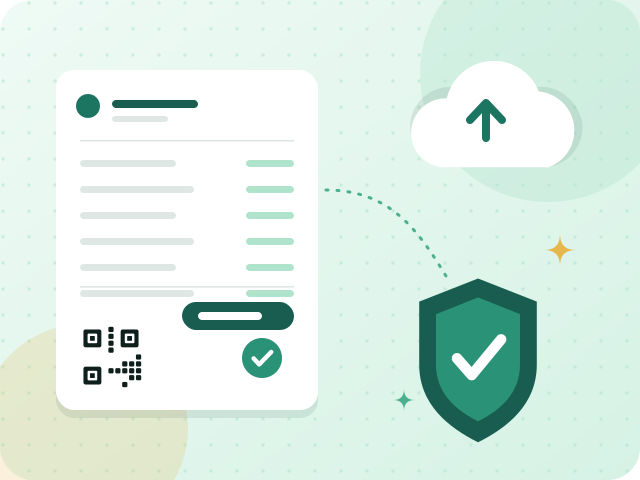
ZATCA e-invoicing (Fatoora)
QR code invoices for Phase 1, and Fatoora integration for Phase 2 when your wave arrives.
- A QR code on every simplified invoice
- An issued invoice cannot be changed
- Cleared or reported, depending on the buyer

Point of sale (POS)
A fast cashier screen with Arabic receipts for shops, cafes and restaurants.
- Barcode scanning at the counter
- Arabic receipts with a QR code
- Split and partial payments

VAT compliance
15% VAT applied line by line, with reports that prepare your return figures.
- Standard 15% VAT on every line
- Zero-rated and exempt kept apart
- Reports ready for the return
Everything for invoicing, VAT and point of sale
Six capabilities that cover the daily paperwork of a Saudi SME.
ZATCA e-invoicing (Fatoora)
QR code invoices for Phase 1, and Fatoora integration for Phase 2 when your wave arrives.
Learn moreInvoicing
Tax invoices, simplified invoices and credit notes, each numbered in sequence automatically.
Learn morePoint of sale (POS)
A fast cashier screen with Arabic receipts for shops, cafes and restaurants.
Learn moreVAT compliance
15% VAT applied line by line, with reports that prepare your return figures.
Learn moreBilling and payments
Payment terms, part payments and the status of each invoice, so you always know who owes what.
Learn moreArabic-first and bilingual
A right-to-left interface and invoices your customers can read in Arabic and English.
Learn moreHow the free trial works
Honest and simple: you can use everything for 90 days before deciding.
- 1
Create your workspace
Sign up with your email and choose a web address. We verify your email and prepare your own private workspace.
- 2
Try it with test invoices
The trial uses ZATCA’s simulation environment, so you can practise invoicing and the POS without creating real tax documents.
- 3
Subscribe or step away
Subscribe to switch on production e-invoicing. If you do not, the workspace is suspended and your data is kept for 30 days so you can subscribe or export.
Built for the businesses that keep Saudi cities moving
See how Fatooraz fits the way your industry invoices and sells.












Serving businesses in cities across the Kingdom
From Riyadh and Jeddah to Abha, Tabuk and Najran, local conditions shape how you sell. Explore what matters in your city.
Guides to get e-invoicing and VAT right
Plain-language guides for Saudi business owners.
5 min read
ZATCA approval of invoicing software: what it means and what to check
ZATCA publishes a directory of qualified providers and says it is not an approval. What that means, the onboarding you complete yourself, and what to ask any vendor.
Read the guide5 min read
ZATCA e-invoicing API integration: how Phase 2 works, step by step
How ZATCA e-invoicing API integration works in Phase 2: onboarding, what each invoice carries, clearance versus reporting, and build-or-buy questions.
Read the guide
5 min read
Invoicing software for a small Saudi business: what you need and what to skip
What invoicing software a small Saudi business needs: Arabic invoices with a QR code, credit notes, a VAT report and ZATCA phases, without a heavy ERP.
Read the guideMore ways to get it right
Compliance hub
Phase 1, Phase 2 and the waves in plain language, with the guides, terms and free tools that go with them.
Learn more
Phase 2 wave tracker
Every announced wave with its criterion and integration date, and a countdown to the next one.
Learn more
Glossary
Short, practical definitions of the words you meet when you invoice in Saudi Arabia, and what each one means for your business.
Learn more
VAT calculator
Add 15% VAT to a price, or find the VAT inside a total that already includes it.
Open the tool
ZATCA QR code generator
Create the Phase 1 QR code for a simplified tax invoice, or paste a code to see what it contains.
Open the tool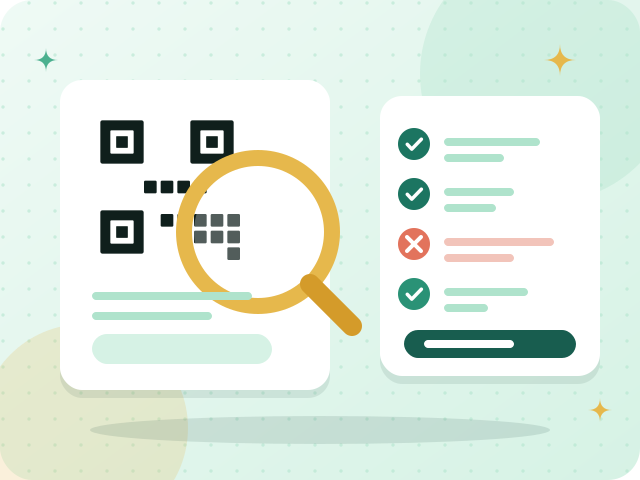
ZATCA QR code validator
Check an invoice QR code: upload a picture or paste its text and see which of the five Phase 1 fields are right.
Open the toolZATCA wave checker
Enter your revenue for each year and see which Phase 2 wave your figures match and when ZATCA expects integration.
Open the toolVAT registration checker
Enter your taxable sales and see whether VAT registration in Saudi Arabia is mandatory, voluntary or not yet needed, with the next steps.
Open the toolFree invoice generator in Arabic and English
Fill in a form and get an invoice with every heading in Arabic and English and a QR code, ready to save as a PDF from your browser.
Open the toolZATCA invoice XML checker
Paste an invoice in UBL XML and see which fields are missing, malformed or do not add up. A structure check, not ZATCA validation.
Open the tool
Credit note and partial return calculator
Work out the amounts of a credit note for goods returned or a price reduction, with VAT, and see what is left of the invoice.
Open the toolVAT return helper
Paste your sales and purchases as CSV and get the VAT totals by category and month, in your browser. A worksheet, not your VAT return.
Open the tool
Hijri–Gregorian date converter
Convert a date between the Hijri (Umm al-Qura) and Gregorian calendars, in both directions, with the month name and the day of the week.
Open the tool
E-invoicing readiness quiz
Ten yes-or-no questions give you a readiness score for ZATCA e-invoicing and a checklist of next steps. Free, in your browser.
Open the toolClear about what you get
Supports ZATCA e-invoicing
Designed around Phase 1 and Phase 2 requirements. Onboarding with ZATCA is completed by you as the taxpayer, and we guide you through it.
Your data, your workspace
Every customer gets an isolated workspace with its own database, so your records are never mixed with anyone else’s.
No lock-in surprises
Prices exclude VAT, there is no card needed for the trial, and you can export your data during the 30-day grace period if you decide to leave.
Questions Saudi business owners ask first
Is Fatooraz approved by ZATCA?
Fatooraz is built to support ZATCA’s e-invoicing requirements, including the integration phase. ZATCA onboarding is performed by each taxpayer for their own business, and we walk you through the steps. Please follow ZATCA’s announcements for your own wave and deadlines.
What do I get in the free trial?
You get a private workspace for 90 days with the features of the plan you choose. The trial uses ZATCA’s simulation environment, so nothing you issue during the trial is a real tax document. No credit card is needed to start.
What happens when the trial ends?
If you subscribe, your workspace continues and production e-invoicing can be enabled once ZATCA onboarding is complete. If you do not, the workspace is suspended, your data is kept for 30 days so you can subscribe or export it, and it is then archived securely and deleted under our retention policy.
Does it work in Arabic?
Yes. The interface runs right to left, invoices and receipts can be bilingual in Arabic and English, and reports are available in Arabic.
Can I use it for a shop or restaurant, not only invoicing?
Yes. The Business plan adds a point of sale with a cashier screen, Arabic receipts, barcode scanning and daily closing, and it issues simplified invoices with a QR code.
Are the prices shown with VAT?
No. Prices are shown excluding 15% VAT, which is added to your subscription invoice.
Start with a workspace of your own
Try invoicing, e-invoicing and the point of sale for 90 days. No credit card, no commitment.